
Overview of Aescripts EtchX for macOS
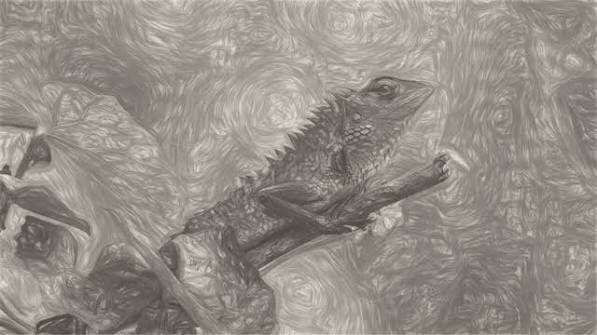
It is a stylization plugin for macOS that transforms video into animated engraving, cross-hatching, charcoal, dry ink, scratchboard, or technical-pen artwork. It works inside popular creative applications such as After Effects and Premiere Pro, allowing editors to apply artistic effects directly during their normal editing process.
The plugin is designed for creators who want a hand-drawn appearance without spending hours creating artwork frame by frame. Its technology analyzes movement and keeps the illustrated details connected with the footage, making camera movements and subject motion appear more consistent.
Artistic Control With Professional Results
The tool provides 48 carefully created presets that act as starting points for different visual styles. You can quickly explore various looks and then personalize them using available controls. This makes it useful for both beginners and experienced video artists.
The interface focuses on creativity rather than complicated settings. You can experiment with different combinations of lines, textures, and details until your footage matches the mood you want to create.
Key Features
- Animated Engraving Effects: Create video visuals that resemble classic engraved artwork. The detailed line structures add depth and give your footage a traditional artistic appearance.
- Cross-Hatching Style Creation: Generate layered line patterns that emulate hand-drawn cross-hatching. This feature helps produce realistic shadows and artistic dimension.
- Charcoal-Inspired Appearance: Add soft, textured charcoal visuals to your clips. The effect creates a rough and expressive style that works well for dramatic scenes.
- Dry Ink and Scratchboard Looks: Produce bold ink-based artwork with detailed strokes and scratch-style textures. These options help create a vintage, handmade feel.
- Technical Pen Artwork: Turn scenes into precise illustrations with clean and structured lines. This style is ideal for modern artistic projects that need a detailed appearance.
- Connected Motion Tracking
The plugin keeps drawn marks aligned with movement in the footage. This creates a more stable, illustrated result in which lines feel like they belong to the original scene. - 48 Ready-to-Use Presets: Explore a wide collection of prepared styles that help you quickly test different artistic directions. Presets save time while still allowing creative adjustments.
- Custom Line Adjustments: Control the appearance of your artwork by changing line strength, density, and visual structure. These settings let you create subtle or intense effects.
- Adjustable Shading Details: Modify how light and dark areas appear in your footage. This helps balance contrast and improve the overall artistic quality.
- Texture Customization: Add different levels of surface detail to achieve a more natural illustrated appearance. Texture controls help avoid flat-looking results.
- Smooth Integration: The plugin fits into an existing editing workflow, making it easier to enhance projects without changing your creative process.
- Time-Saving Workflow: Instead of manually creating animated drawings, you can apply artistic transformations quickly and focus more on storytelling and editing.
Technical Details and System Requirements
- Operating System: macOS 10.13 or newer
- Compatible Applications: After Effects / Premiere Pro 2026, 2025, 2024, 2023, 2022, 2021, 2020, CC 2019, CC 2018
- Processor: Intel or Apple Silicon
FAQs
Q: What type of artwork styles can be created with this plugin?
A: It can create engraving, cross-hatching, charcoal, dry ink, scratchboard, and technical-pen inspired artwork styles.
Q: Can I customize the appearance of the effects?
A: Yes, you can adjust lines, shading, details, and textures to create a personalized look.
Q: Does the effect stay connected with moving footage?
A: Yes, the marks are designed to follow movement and camera changes for a more stable illustrated appearance.
Q: Is this tool suitable for beginners?
A: Yes, its preset-based workflow makes it easy for beginners while still offering advanced controls for professionals.
Q: Can it be used for different types of video projects?
A: Yes, it works well for creative films, presentations, music visuals, advertisements, and experimental animations.
Q: Are presets included with the plugin?
A: Yes, it includes 48 curated presets that provide different artistic starting points.
Q: Does it require manual drawing for every frame?
A: No, it automatically creates the illustrated effect, reducing the need for frame-by-frame artwork.
Q: Can I change the intensity of the final look?
A: Yes, multiple controls allow you to increase or reduce the strength of lines, textures, and shading.
Conclusion
Aescripts EtchX is a creative solution for users who want to transform video into expressive illustrated artwork. With connected motion-based marks, artistic presets, and flexible customization options, it makes it easier to achieve a handcrafted visual style. Whether you are creating cinematic content or exploring new design ideas, this plugin provides a simple way to add personality and artistic depth to your projects.