
Free download Looq for MacOS Latest full version – An advanced Quick Look extension.

Free Download Pacse Looq Full Version standalone offline installer for MacOS. A powerful Quick Look extension that helps you preview files, code, tables, archives, and markdown content with speed and clarity.
Overview of Looq for macOS
It is designed to give you a smarter, more efficient way to preview your files directly in Quick Look. Instead of opening multiple apps to check code, Markdown files, CSV tables, or archives, this tool lets you see everything instantly in a single, clean view. It saves time and keeps your workflow smooth like switching lanes on an empty road.
Whether you work with documents, source code, structured data, or compressed folders, this app makes file inspection simple and fast. It supports rich Markdown rendering with KaTeX and Mermaid, syntax highlighting for more than 190 programming languages, and table previews for CSV and SQLite files. Everything feels organized, fast, and easy to understand.
It is especially useful for developers, writers, and professionals who handle many file types every day. Instead of opening heavy applications, you can simply press Quick Look and get the information you need instantly. This creates a cleaner and more productive working style.
Key Features
- Full GitHub Flavored Markdown rendering
- Live rendering on file save
- KaTeX support for inline and block math
- Beautiful Mermaid diagram preview
- Syntax highlighting for 190+ languages
- Smart code block formatting
- Auto-format support for JSON, CSS, XML, SQL, and more
- Native table views for CSV and TSV files
- SQLite multi-table preview
- Pagination support for large data files
- ZIP and TAR archive browsing
- Fast folder preview with metadata
- Configurable line numbers and font settings
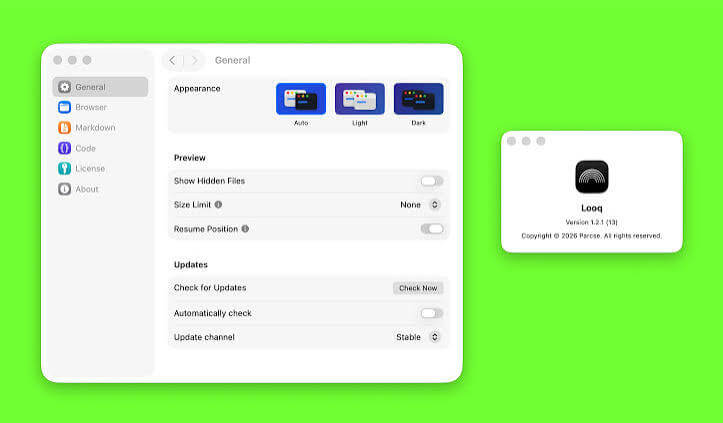
- Light and dark theme support
- Auto table of contents sidebar
- Remote image caching for Markdown files
- Scroll position memory
- Multi-file tab switching
- Better File Viewing Experience
Technical Details and System Requirements
- macOS 14 or later
- Apple Silicon or Intel Core processor
- Minimum 4 GB RAM recommended
- At least 200 MB of free storage
- Stable Quick Look functionality enabled
FAQs
Q: What is this software mainly used for?
A: It helps you preview files like Markdown, code, CSV, SQLite, archives, and folders directly from Quick Look.
Q: Does it support programming files?
A: Yes, it supports syntax highlighting for more than 190 programming languages.
Q: Can I preview CSV and database files?
A: Yes, it offers native table views for CSV, TSV, and SQLite files.
Q: Does it support archive browsing?
A: Yes, you can browse ZIP and TAR files with directory tree previews.
Q: Is Markdown rendering included?
A: Yes, it supports full Markdown rendering with KaTeX math and Mermaid diagrams.
Q: Can I use it offline after installation?
A: Yes, once installed, you can use all preview features without needing constant internet access.