
Free download Aescripts PhysicDesk for MacOS Latest full version – Realistic physics animations with editable keyframes.

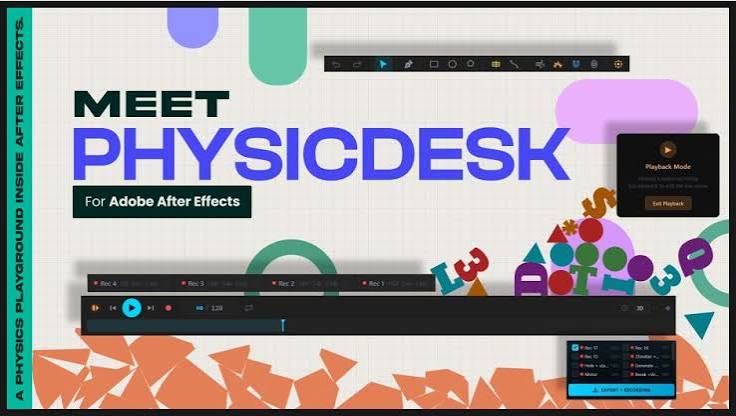
Free Download Aescripts PhysicDesk for Adobe After Effects full version standalone offline installer for macOS. This tool is a real-time 2D physics simulator designed to work smoothly inside After Effects on macOS.
Overview of Aescripts PhysicDesk for macOS
This section helps you understand how this tool fits into your macOS motion design setup. It works as an extension in After Effects, allowing you to simulate physics-based interactions in real time without leaving your project.
It is built for designers who want control without complexity. You can experiment with objects, forces, and motion behaviors while instantly previewing results. The goal is to make animation feel less like coding frames and more like shaping real-world motion.
Why Motion Designers Prefer It
Instead of spending hours adjusting keyframes, you can let physics do the heavy lifting. Objects collide, bounce, stretch, and react naturally. This reduces repetitive work and opens space for creativity. It also helps you achieve more realistic animations without deep technical knowledge of physics equations. Everything is simplified into visual controls that are easy to understand and adjust.
Top Features of PhysicDesk for macOS
- Real-Time Physics Simulation: See instant results as you adjust forces and object behavior inside After Effects.
- Dynamic Body Creation: Create moving objects that respond naturally to gravity, collisions, and energy flow.
- Static Object Support: Lock elements in place to build stable environments or anchor points.
- Advanced Joint System: Connect objects using pivot, weld, spring, wheel, and rope joints for complex motion setups.
- Force Zones: Add wind, magnetism, portals, and explosion effects to creatively shape movement.
- Particle Integration: Enhance scenes with particles that react to motion and forces.
- Soft Body Physics: Simulate flexible materials like rubber, cloth, or jelly-like structures.
- Fracture System: Break objects into pieces for dramatic impact effects.
- Sound-Driven Motion: Sync movement with audio input for rhythmic animation effects.
- Keyframe Baking: Convert simulation results into editable After Effects keyframes for final polishing.
How It Works Inside After Effects on macOS
The workflow is simple and designer-friendly. You create shapes or import elements into your composition, then assign physics properties. Once activated, everything starts reacting in real time.
You can pause, tweak settings, and replay instantly. Once satisfied, you bake the motion into keyframes, making it part of your final animation timeline. It feels like capturing natural motion in a bottle and refining it afterward.
System Requirements for macOS
- macOS 12 or later
- Adobe After Effects 2022 or newer
- Apple Silicon or Intel-based Mac
FAQs
Q: Is this tool beginner-friendly on macOS?
A: Yes, it uses simple controls, so even beginners can create advanced motion effects without deep technical knowledge.
Q: Does it work directly inside After Effects?
A: Yes, it runs inside the After Effects environment, making the workflow seamless and fast.
Q: Can I convert simulations into editable animations?
A: Yes, you can bake all physics motion into standard keyframes for further editing.
Q: Does it support complex object interactions?
A: Yes, objects can collide, connect, break, and respond using realistic physics behavior.
Q: Is real-time preview available?
A: Yes, all changes are visible instantly while you adjust settings.
Q: Can I use it for professional projects?
A: Yes, it is suitable for high-quality motion design, animation, and production work.
Conclusion
This macOS-focused physics simulation tool completely changes how motion graphics are created in After Effects. Instead of manually crafting every movement, you can build natural, physics-driven animations that feel alive and dynamic. From soft bodies to force zones and keyframe baking, everything works together to speed up your creative workflow.