
Free download Double Commander for MacOS Latest Offline Installer – An efficient dual-pane file manager.

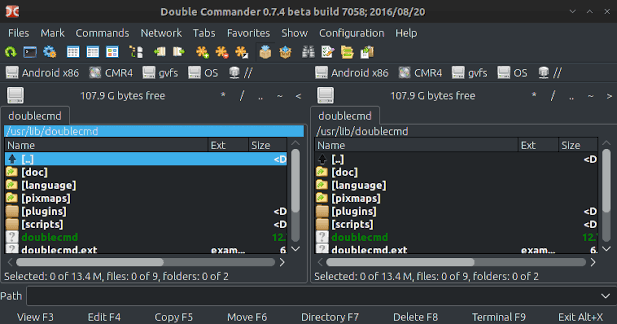
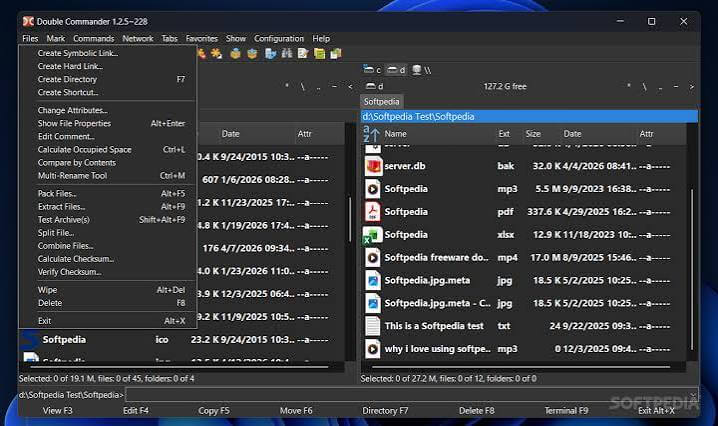
Free Download Double Commander, the latest standalone offline installer for macOS. It is a powerful, open-source, and free file manager with two panels side by side. It provides a user-friendly interface packed with features to make file management a breeze. With its dual-pane layout, users can easily navigate and manage files and folders efficiently. It supports various file operations, such as copying, moving, renaming, and deleting files, all with just a few clicks.
Overview of Double Commander for macOS
It offers a comprehensive set of features designed to streamline file management tasks. Its dual-pane interface allows users to view two different folders simultaneously, making it easy to transfer files between them. The built-in file viewer lets users preview files without opening them in external applications, saving time and effort.
Features of Double Commander for macOS
- Internal text editor (F4) with syntax highlighting
- Built-in file viewer (F3) to view files in hex, binary, or text format
- Archives are handled like subdirectories. You can easily copy files to and from archives. Supported archive types: ZIP, TAR, GZ, BZ2, XZ, LZMA, 7Z, and also RPM, CPIO, DEB, RAR, ZIPX
- Extended search function with full-text search in any files
- Configurable button bar to start external programs or internal menu commands
- Total Commander WCX, WDX, WFX, and WLX plug-ins support
- Unicode support
- Most operations work in the background
- FTP, FTPS, FTPES, SSH+SCP, and SFTP protocols support
- Multi-rename tool
- Tabbed interface
- Custom columns
- File operations logging
Technical Details and System Requirements
- macOS 10.11 or later
FAQs
Q: Can I customize the interface of it?
A: It allows you to customize its interface with color schemes and layouts.
Q: Does it support file compression?
A: Yes, it supports various archive formats, including ZIP, TAR, and RAR.
Q: Can I use it to manage files on remote servers?
A: Yes, it supports FTP and SFTP for remote file management.
Q: Does it support keyboard shortcuts?
A: It allows you to customize keyboard shortcuts for quick navigation.