
Free download TagSpaces Lite for MacOS Latest Offline Installer – An offline, open source, document manager.

Free Download TagSpaces Lite, the latest standalone offline installer for macOS. It is an offline, open-source document manager with tagging support.
Overview of TagSpaces Lite for macOS
It is a free, no-vendor lock-in, open-source application for organizing, annotating, and managing local files with tags. It features advanced note-taking functionalities and some capabilities of to-do apps. It provides a web clipper extension for Firefox, Edge, and Chrome for an accessible collection of online content in local files.
Features of TagSpaces Lite for macOS
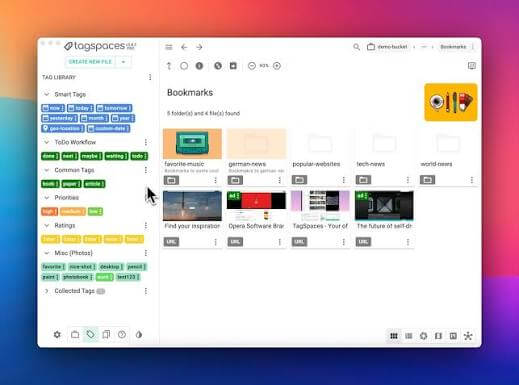
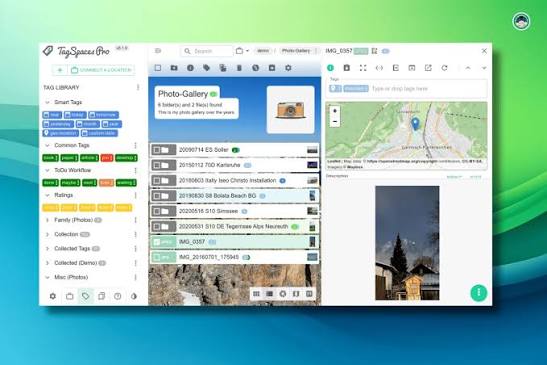
- File and folder management – TagSpaces provides a convenient user interface for browsing, viewing, and managing files and folders.
- File tagging—The application supports two ways of tagging files. The default one embeds the tags directly in the file name, while the other uses so-called sidecar files to persist the tags.
- Searching – The functionality supports fuzzy functionality and can filter your locations for files and folders containing one or more tags.
- Browser for local content – TagSpaces can be used just as a browser for your local photos or navigation through your local ebook library
- Media player – It supports playing for standard audio and video file types and has integrated primary media player functionalities.
- No-Cloud: TagSpaces runs completely offline and serverless on your laptop, desktop, or tablet. It does not require an internet connection or any kind of online registration or service provider.
- Note Taking – you can create and edit notes in plain text, markdown, and html file formats
- To-Do Management – with the help of the built-in HTML editor, you can create simple to-do lists in every HTML file.
- Web Clipper, for saving web pages and screenshots from your browsers, is also an extension for Firefox and Chrome.
Technical Details and System Requirements
- macOS 10.12 or later
FAQs
Q: Can I sync my tags across multiple devices?
A: It does not natively support cloud syncing; you can use third-party services like Dropbox or Google Drive to sync your files and tags manually.
Q: How do I back up my tags and metadata?
A: Tags and metadata are stored in particular files alongside your original files. You can back up these files using any standard backup solution.
Q: Does It support encrypted files?
A: It does not natively support encrypted files. You can secure your files before adding them to TagSpaces Lite using third-party encryption tools.
Q: Are there keyboard shortcuts available?
A: It includes various keyboard shortcuts to enhance productivity. You can find a list of available shortcuts in the app’s settings or documentation.